Snailkit, the Obsidian plugin I built for my own notes
Snailkit, the Obsidian plugin I built for my own notes
My Obsidian had ten plugins doing ten small jobs, each with its own settings and its own look. So I rebuilt the ones I use every day as one plugin. It’s called Snailkit, and it’s free.
I vibe coded it over a few weeks with two AI developers: Claude Code plans and builds, Codex (OpenAI) takes some of the work and reviews what Claude writes. I decide, test, and say no a lot.
Why
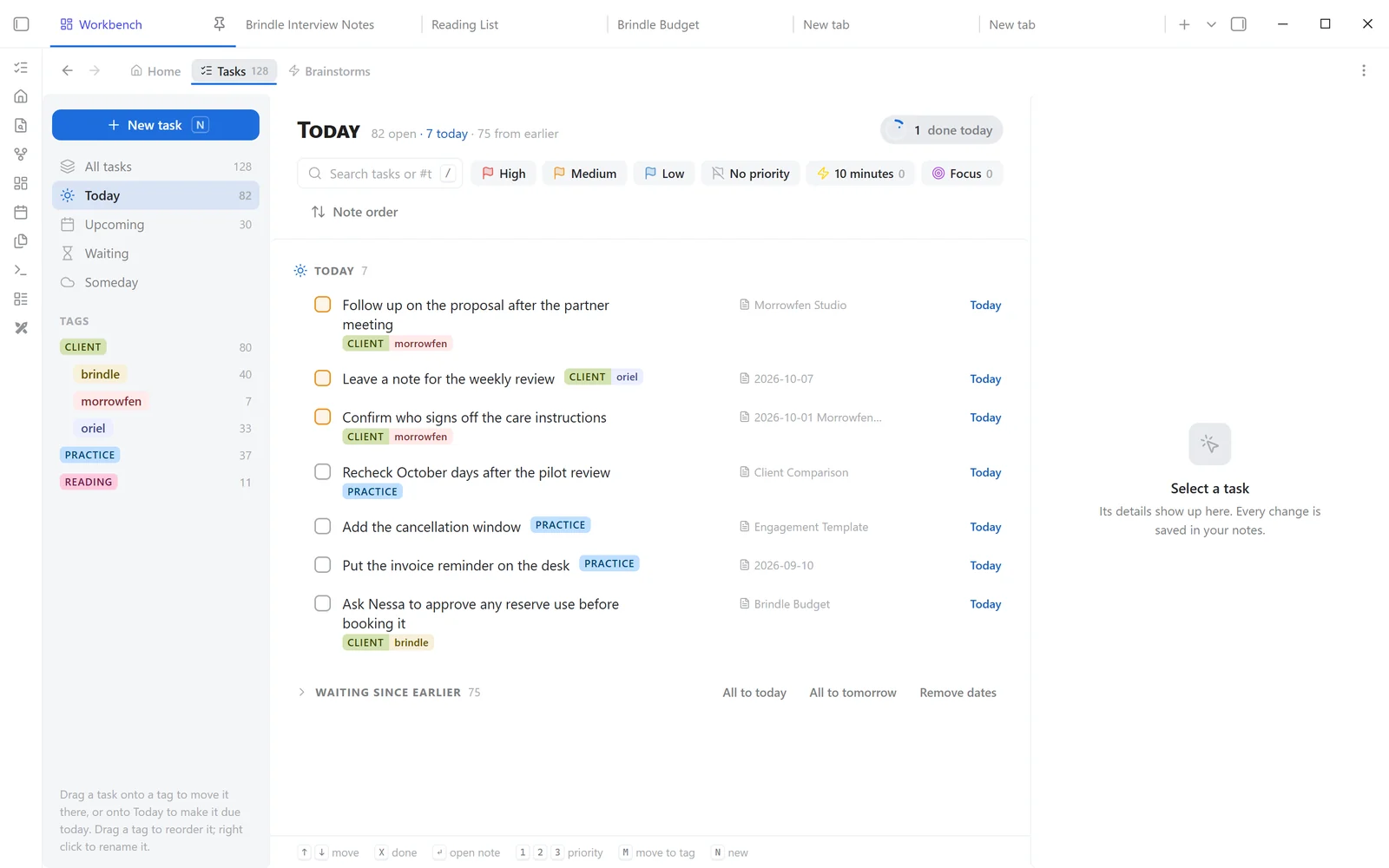
I like writing my tasks right where I think: in a meeting note, a project note, my daily note. A checkbox, a tag, done. For years a Dataview query gathered them for me. I don’t use it anymore: Snailkit does the same job, better, and the way I work. Less friction. I can think, drop my ideas, and get them off my mind.
The big three
- Brainstorm. Write everything on your mind in one note. Later, sort it line by line: a task, a question to decide, or just an idea.
- Tasks. Write
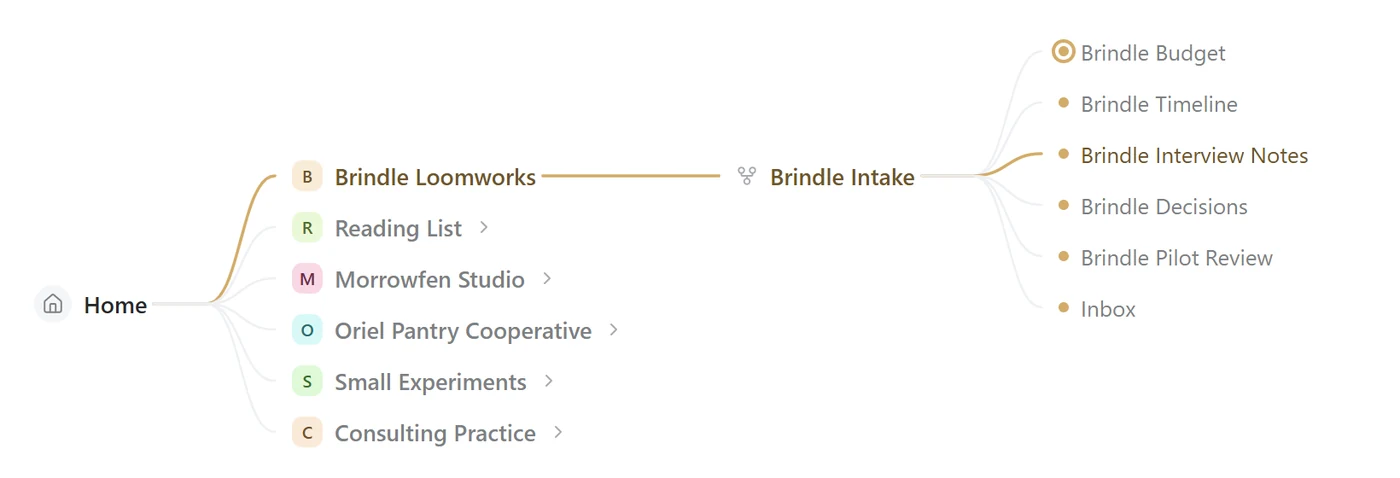
- [ ] Call the bank #homein any note. It shows up in one list, grouped by tag, with Today and Upcoming. - Home. Today’s note, what’s due, your pins, and a map of your notes.

And a few small tools
Each one starts off. You turn on what you want.
- Note menu: a small row of icons next to your note: its outline, your pins, its open tasks and the calendar.
- Slash menu: type
/to insert a block, a snippet or a command without leaving your sentence. - Slides to PowerPoint: turns the frames of an Excalidraw drawing into a .pptx.
- PDF export: your note as a PDF, with your theme, images and clickable links (desktop).
- Tables, Tag colors, Move text, Column select: small things that make writing smoother.
I’ll show some of them in their own short posts.
On a phone too
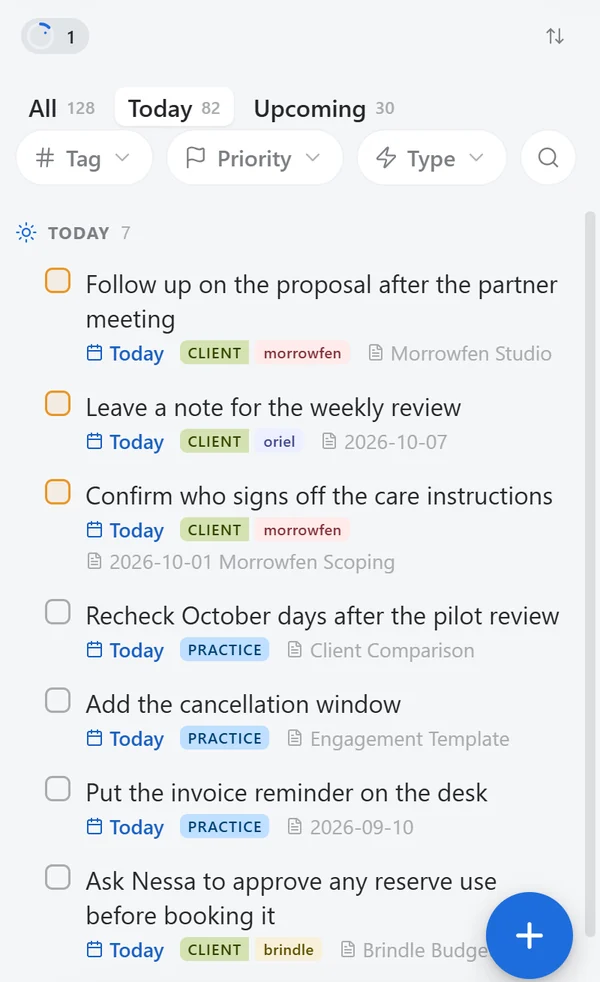
I use it a lot on my iPhone, so the phone gets a lighter layout. One tap to add a task, a long press for the rest.
Try it
In Obsidian: Settings → Community plugins → Browse, search Snailkit, install, enable. Then write a task with a
#tagin any note. It’s already waiting in the list.
Everything stays in your notes, in plain Markdown. Nothing is sent anywhere.
The code is on GitHub. If something feels off, tell me.